
How can I add anchors to my website content?
| HOME > WEBSITE AREA > How can I add anchors to my website content? |
STEP 1: First go to WEBSITE tab.
STEP 2: Select the page you wish to add the anchor and double click on it
- or click on OPEN.
STEP 3: Within the content area, select the text to which you want to add the anchor.
STEP 4: Click on the insert link icon 
- usign the example below, the anchor will be the word "relaxing"
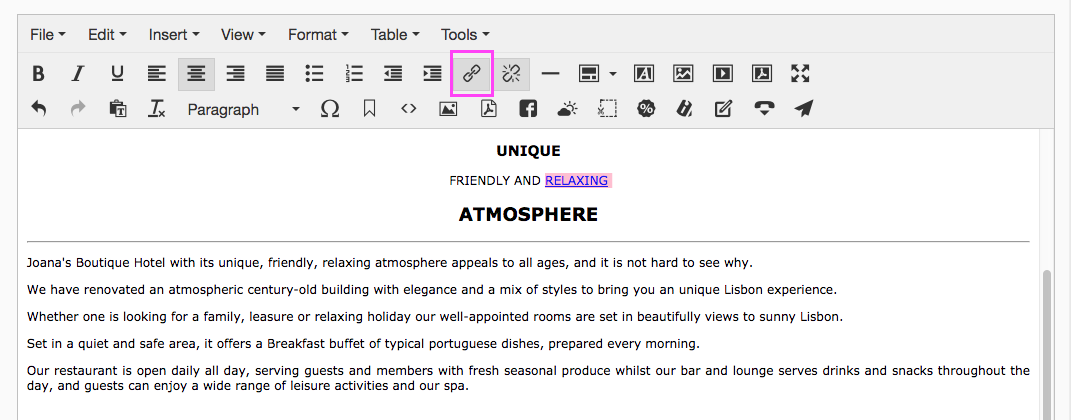
STEP 5: Enter the word of the anchor, after a # sign:

STEP 6: Click on OK.
STEP 7: Select the text/sentence you wish to add the anchor and click in the anchor icon.
- Using the example above, we would like that when customer click on the word "relaxing", they will be re-directed to the word "spa".
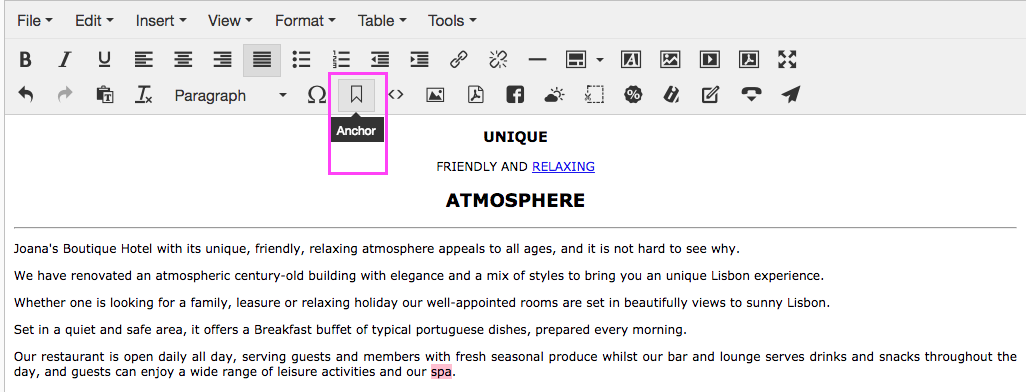
STEP 8: On the next screen enter the anchor name, using the same text you entered before on step 5 (and without the # sign):
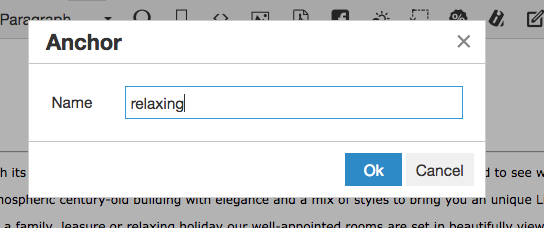
STEP 9: Click on OK.
The relevant text will now appear preceeded by the anchor symbol as shown here:

STEP 10: Make sure you save all information by clicking on the  button.
STEP 11: Under WEBSITE tab, click on PUBLISH CHANGES, so that all this information becomes available at your website.